
Last updated November 16, 2026
 Wrought iron
 Wood & steel frame
 Farm & ranch
 Sliding driveway gates
 LiftMaster operators
Free on-site gate assessment - hinges, posts, and your LiftMaster or Nice gate operator checked before anything is quoted
The assessment is free and the quote is the invoice.
Get your free estimateGate Access Control Troubleshooting: Common Problems and How to Fix Them
When a keypad code stops working, the instinct is to reprogram it. But if the keypad’s communication wire has a nick from a weed trimmer, reprogramming accomplishes nothing – and you can burn through an afternoon reconfiguring credentials on a panel that cannot hear the keypad at all. That’s the frustrating truth about access control: the credential, the reader, and the wire between them can each fail, but the system gives you the same dead response no matter which one broke. This guide teaches Mesquite homeowners to isolate the layer instead of chasing the symptom, so you can either fix it fast or know exactly what to tell a technician when you call.
Quick Answer
Most residential gate access failures come from one of three layers – the credential (code, card, or fob), the reader (keypad, intercom, or card reader), or the communication path (the wiring and power feeding both). Test in that order: confirm the credential in the system, then confirm the reader has power, then confirm the wire between them is intact. Fixing the wrong layer is why so many Mesquite homeowners reprogram a keypad three times before discovering the problem was a cut wire.
Styles & brands we work with
- Wrought iron
- Wood & steel frame
- Farm & ranch
- Sliding driveway gates
- LiftMaster operators
Table of Contents
- The Three-Layer Isolation Method
- Is It Power, Firmware, or Physical Damage?
- Why Video Intercoms Lose Connection in Mesquite Heat
- The Wiring Faults That Cause Intermittent Access Denial
- What Access Logs Actually Tell You
- Common Mistakes to Avoid
- When to Call a Professional
- Frequently Asked Questions
The Three-Layer Isolation Method
Every access control problem in a residential gate system lives in one of three layers. Learning to test them in order, every time, is the single most useful troubleshooting habit you can build.
- Test the credential. Use a second code, a second card, or a second fob that you know works. If the backup credential also fails, the problem is not the credential – move to the reader.
- Test the reader. Does the keypad light up? Does it beep when you press a key? A dead keypad with no lights and no sound has a power problem. A keypad that lights up but won’t accept any code has a reader or communication problem.
- Test the communication path. Look at the wire coming into the back of the reader. Check for nicks, corrosion at the terminal screws, or loose connections. If the reader has power but the gate won’t open, the panel may simply not be hearing the reader’s signal.
We’ve seen this order save Mesquite homeowners hours. A homeowner in Sun City Mesquite spent a full Saturday reprogramming her LiftMaster keypad, convinced the code had corrupted. The actual fault was a nicked communication wire behind the post – the keypad was beeping, but the signal was never reaching the control board. Ten minutes with a multimeter would have told her that before she touched the programming.
The rule is simple: work from the credential outward. Never skip to programming until you’ve confirmed the reader has power and the wire is intact. This method works the same on a FAAC panel as it does on a Linear – the layers are universal, even if the buttons aren’t.
Is It Power, Firmware, or Physical Damage?
You don’t need a system manual to narrow down a keypad failure. Three quick observations will tell you which of the three main failure types you’re dealing with.
Signs of a power problem
- No lights, no beep, no response to any key press
- Backlight that was once steady is now flickering or dark
- The keypad works in the morning but dies by afternoon (heat-related voltage drop)
Signs of a firmware or programming problem
- Lights come on, keys beep, but the gate doesn’t open
- Codes that used to work stop working after a power outage
- The system accepts the code but the gate opens and immediately reverses
Signs of physical damage
- Cracked housing, corrosion on the keypad face, or moisture inside the cover
- Sticky or unresponsive individual keys
- Visible wire damage at the post or inside the housing
In Mesquite, physical damage usually shows up in the form of sun-baked plastic and wind-driven dust grit inside the keypad mechanism. We’ve replaced more keypads here because the plastic housing chalked and cracked than because the electronics actually failed. If your keypad is more than eight or nine years old and the housing feels brittle to the touch, that’s a sign the unit is on borrowed time regardless of what the electronics are doing.
Why Video Intercoms Lose Connection in Mesquite Heat
Mesquite summers are hard on outdoor electronics. When daytime temperatures push past 110 degrees and the equipment sits in direct sun on a metal post, the first component to fail is almost always the power supply, not the camera or the monitor.
Here’s what happens. The power supply inside the intercom head unit is a small transformer that generates its own heat while converting household current to the low voltage the camera and mic need. When ambient temperature climbs and the head unit is sitting in direct sunlight, the transformer runs hot. Once it crosses its thermal limit, it shuts down or delivers unstable voltage. The monitor inside may still light up, but the connection drops, or the video comes and goes.
In our experience servicing gates across Mesquite, the intercom power supply is the culprit in roughly seven out of ten “my video intercom keeps disconnecting” calls during June through September. The fix is usually straightforward:
- Move the supply out of direct sun – even a small shade cover on the post can drop the internal temperature by 20 degrees or more.
- Confirm the supply is rated for the load – older installations often have a marginal supply feeding a newer camera that draws more current.
- Inspect the cable jacket – UV-degraded cable insulation cracks and lets moisture in during the winter rains, which then shorts the connection the following summer.
If your intercom monitor shows a black screen or “no signal” message only in the afternoon, heat is almost certainly the trigger. Schedule a diagnostic before the next summer season rather than after the system fails entirely. That’s a good time for a routine tune-up, and it’s the sort of job our team handles as part of gate repair in Mesquite.
The Wiring Faults That Cause Intermittent Access Denial
The most maddening access control failure is the one that works nine times out of ten. The gate opens Tuesday morning, fails Wednesday afternoon, works again Thursday. Nothing changed – except the fault in the wire, which depends on temperature, moisture, or the position of the gate at the moment you’re trying to open it.
Four wiring faults cause nearly all intermittent failures in residential systems:
- Nicked conductors from a string trimmer. Landscapers working near a gate post routinely clip the buried cable or slice through the low-voltage wire at the base of the pedestal. The cut may be partial, so the circuit conducts just enough to work until vibration or temperature shifts the connection.
- Corroded terminal screws. Moisture gets under the housing, the terminal loosens as the copper oxidizes, and the connection becomes marginal. It works on a dry day and fails after a rain.
- Loose wire nuts inside the post. A wire nut that was snug in January works loose by July when the wire expands in the heat. The circuit transmits until the wire shifts and the connection breaks momentarily.
- Ground faults from a shared circuit. If the access control shares a circuit with landscape lighting or an irrigation controller, the ground can float and the reader can drop offline at random intervals.
Each of these faults produces the same symptom: the gate works sometimes. The only reliable way to find them is a meter test of the communication path, wire pair by wire pair, with the gate in motion. We’ve driven out to a home in Mesquite three times for the same intermittent problem and finally found a nick on a low-voltage wire that had been partially severed months earlier by a mower. The wire looked fine from above; you could only see it when the conduit was pulled up.
If your access system works sometimes and fails other times, do not reprogram anything. That’s a communication path fault, and no amount of programming will fix it.
What Access Logs Actually Tell You
Most modern gate controllers – LiftMaster and Linear panels especially – keep an event log of the last 50 to 100 access attempts. If your system has one, it’s the single best diagnostic tool you have. Most homeowners never look at it.
Here’s how to use it. Pull up the log and look at the pattern of the failures, not the individual entries.
- Repeated denials for one specific code: the credential itself is the problem. Either the code was removed, the user’s access schedule changed, or the code was bumped by a newer entry.
- Denials scattered across many codes, clustered around a time of day: the reader is losing power or communication during that window. Heat and direct sun are common causes.
- No entries at all when a code is entered: the controller is not receiving the keypad’s signal. The communication path has failed.
- Entries showing access but the gate didn’t move: the controller accepted the credential but the operator failed – a mechanical or motor problem, not an access control problem.
If you can read the log and describe the pattern to a technician, you’ll save diagnostic time and, in most cases, avoid a return visit. In our experience, half of the access control calls we run in Mesquite are solved on the phone when the homeowner reads the log back to us. That’s why we ask for it first. If your system doesn’t have a log, or you want an expert eye on a pattern you can’t interpret, our team can help – see what we cover under gate motor and opener service.
See the difference
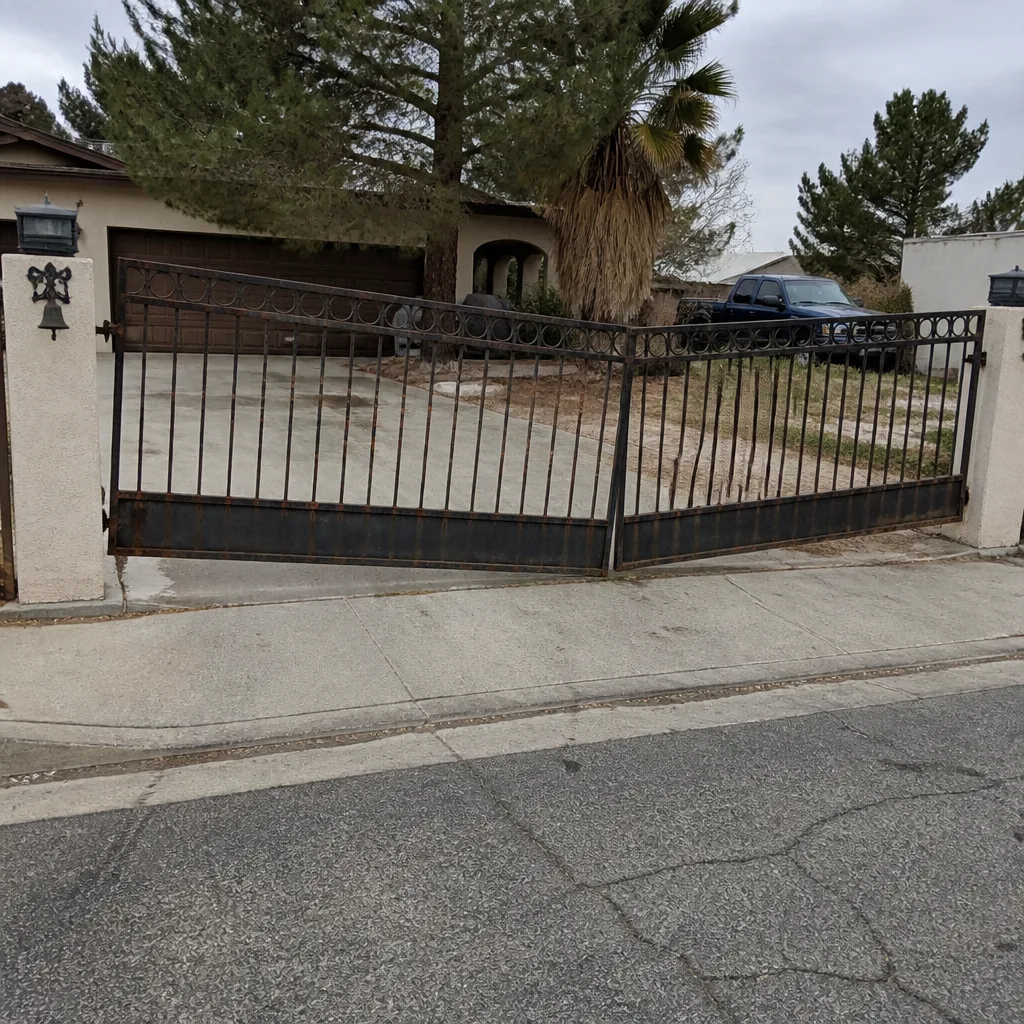 Before
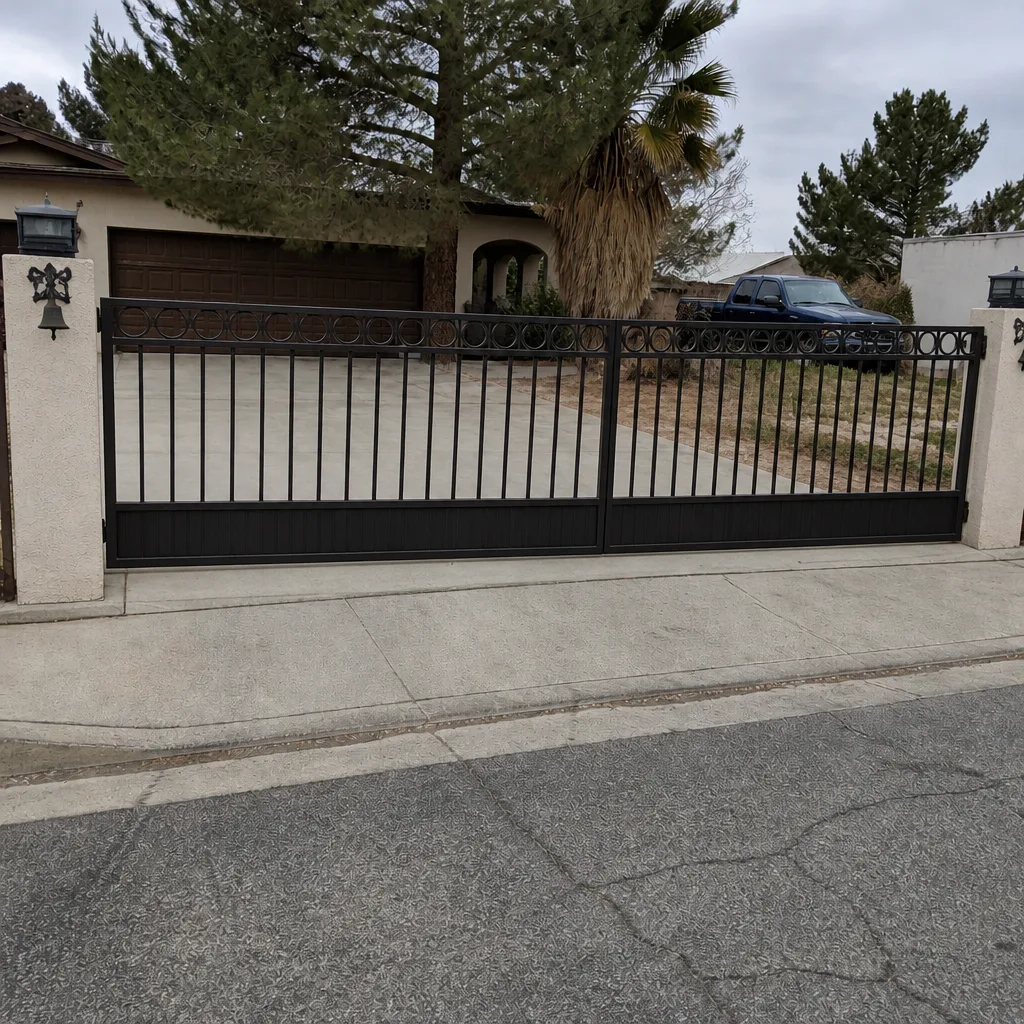 After
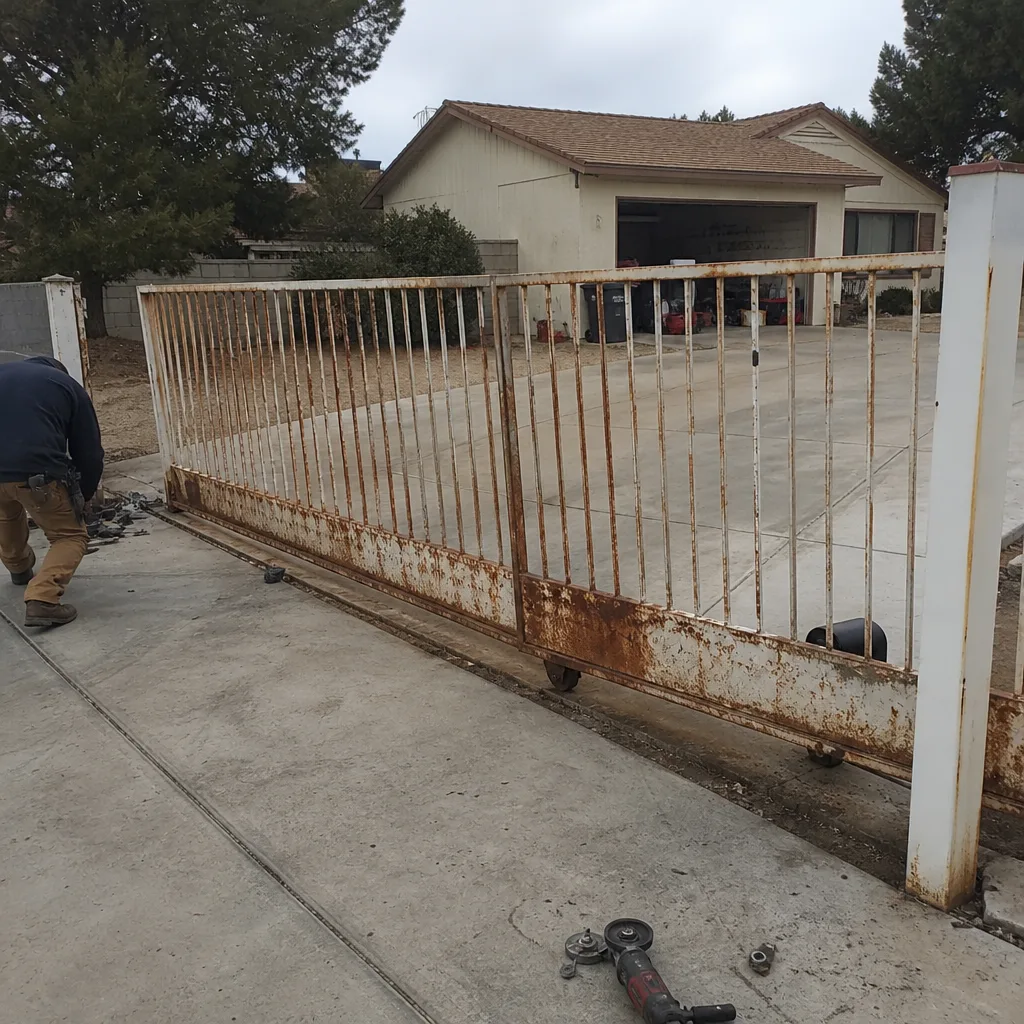 Before
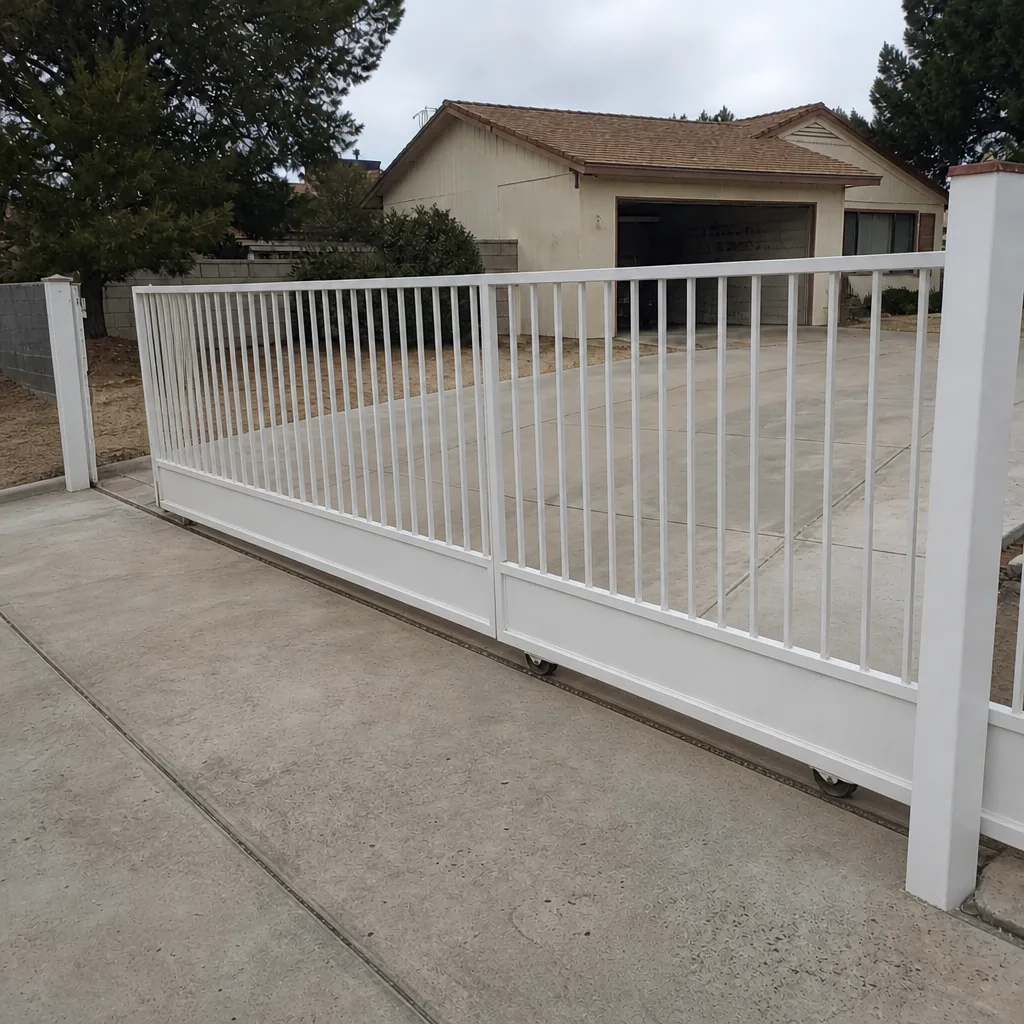 After
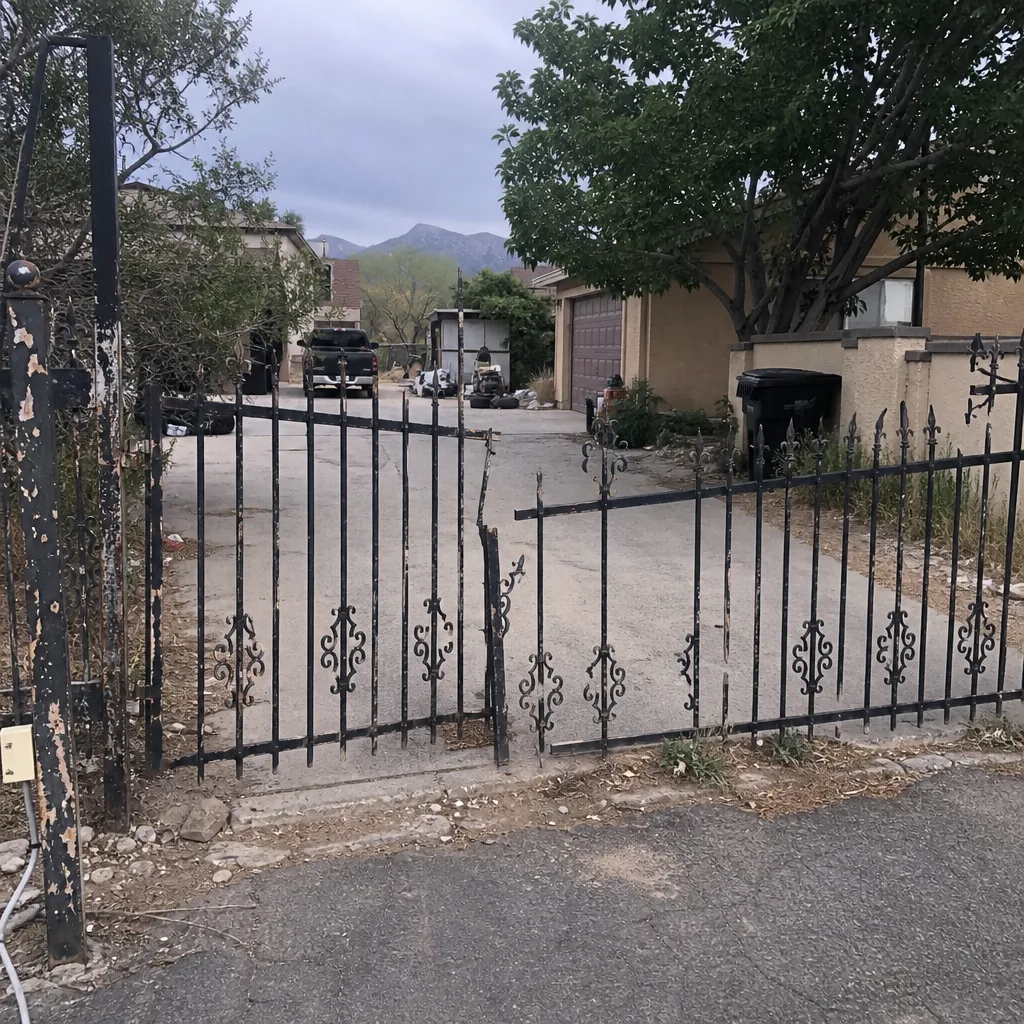 Before
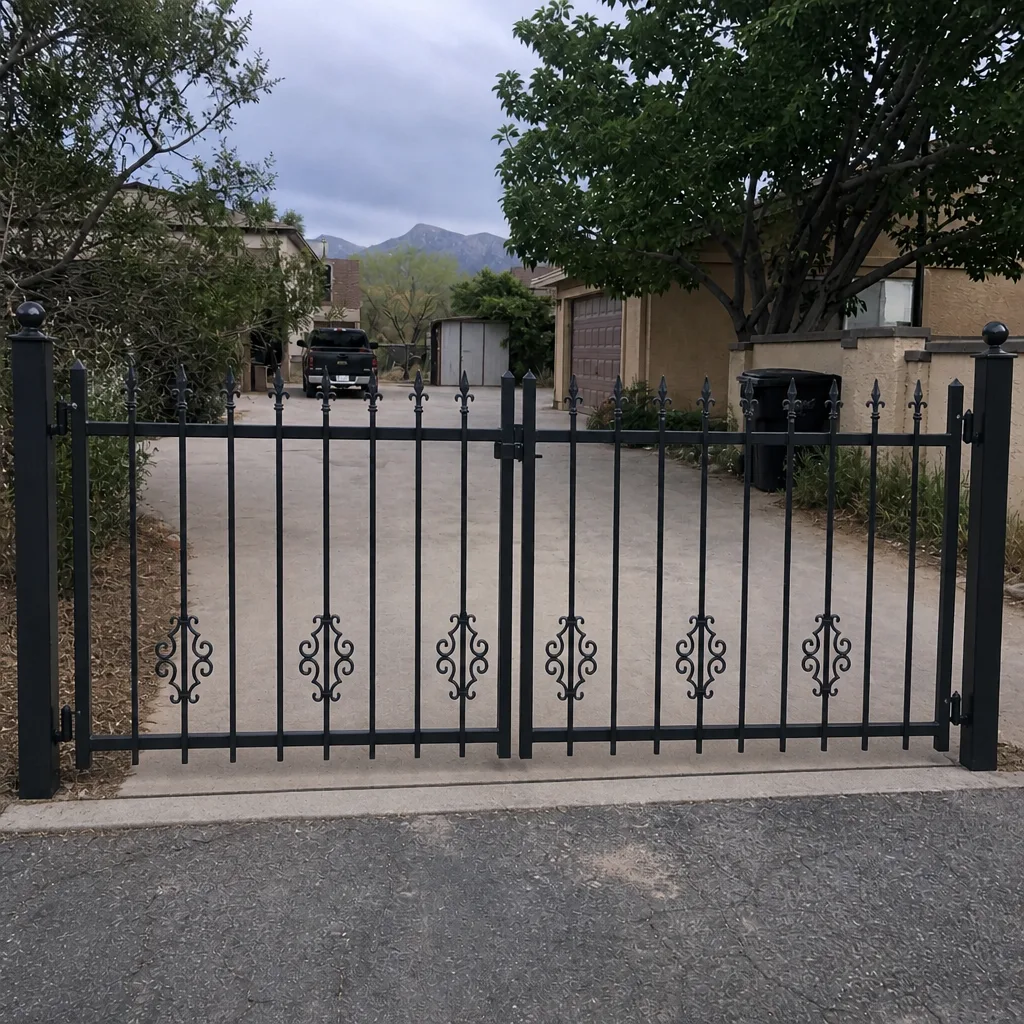 After
Common Mistakes to Avoid
- Reprogramming before testing the wire. A code change accomplishes nothing if the keypad cannot reach the panel. Test the communication path first, always.
- Assuming the new code is the problem. When a code you set last week stops working, the credential is rarely the fault. Power or wire is the usual culprit, and reprogramming just resets the timer on the real problem.
- Replacing the keypad when the power supply failed. In Mesquite’s summer heat, we see homeowners buy a new keypad only to discover the old one worked fine when the actual failed component was the transformer behind it.
- Ignoring a nick you can see. Any nick on a low-voltage wire, no matter how small, will eventually cause a failure. Heat, moisture, and vibration turn a “small” nick into a dead circuit on a schedule nobody can predict.
- Using the wrong power supply after a replacement. A keypad rated for 12-volt AC fed by a 24-volt supply will work briefly and then fail catastrophically. Confirm the specifications before you swap anything.
- Skipping the access log. The log is the fastest diagnostic tool most systems have. If your controller keeps one, read it before you call anyone.
- Letting landscape crews work around the post without a shield. A string trimmer is the most common cause of new access control problems in Mesquite homes with long driveways. A simple conduit guard on the post pays for itself within a season.
When to Call a Professional
Some access control problems are worth a homeowner’s Saturday. The ones that involve live voltage, buried communication wire, or a control board you don’t have documentation for are not. Call for help when the reader has power but the gate won’t move, when the log shows no entry for a valid code, when the fault is intermittent and you can’t reproduce it reliably, or when the wiring at the post shows any sign of damage you can’t see clearly. In our experience, these four situations account for almost every case we see in Mesquite that a homeowner tried to solve alone and couldn’t.
Our team works on the full range of residential access systems and gate automation, from keypads to intercoms to the operator behind them. If you’d like an expert eye on your gate, our Mesquite gate repair service covers diagnostics and repair, and our gate installation team can replace or upgrade a failing access system when repair no longer makes economic sense. If you’d like a full evaluation of the automation side, we’ve written a guide to gate motor and opener service in Mesquite that covers the mechanical faults that sometimes masquerade as access control failures. Ironworks Gate Co. Mesquite offers free estimates in Mesquite – call (844) 797-2573.
Frequently Asked Questions
Because they are almost certainly stored as different credentials with different access schedules. In most systems, each user has a separate code and a separate time-of-day restriction, so one person may be permitted only during weekday hours while another has 24-hour access. Check the access log and the user list for that specific entry; if the schedule is correct and the code still fails, test the reader with a known-working code to isolate whether the problem is the credential or the hardware.
Heat. The intercom power supply inside the head unit is the component most sensitive to temperature, and in Mesquite summers it fails predictably when ambient temperature peaks. Moving the supply out of direct sun or replacing a marginal transformer usually solves it. Call (844) 797-2573 for a diagnostic – estimates are free.
Either a code was overwritten or the communication path degraded to the point where the keypad’s signal is too weak to reach the panel reliably. Test the least-used code first; if it works and a frequently-used code fails, the credential is the problem. If both fail intermittently, the wire is the problem. A meter test on the wire pair will settle it.
Not with a quality keypad and proper installation, but eight to twelve years is the realistic service life for outdoor keypads in our climate. Direct sun, wind-driven dust, and summer heat all wear the housing and electronics faster than in cooler parts of the country. If your keypad housing feels brittle and the unit is more than eight years old, plan on replacement rather than repeated repairs.
Yes. Always. Low-voltage access wiring can still carry enough current to damage the controller and give you a shock, and a mistake at the terminal block can fry the panel. Turn off the breaker feeding the access circuit before you open any housing, and if you’re not sure which breaker it is, stop and call us – that’s not a step to guess at.
Most keypad and reader repairs run in the range of a standard service call plus parts, and every quote is settled before a single bolt is turned. Intercom power supply replacements and buried wiring repairs cost more because of the labor involved. Call (844) 797-2573 for an exact quote – estimates are free, and we answer the phone 24 hours a day, 7 days a week.
The Bottom Line
Access control troubleshooting works when you follow the layers: credential first, then reader, then communication path. Most failures live in the wire, not the code, and reprogramming will never fix a communication fault. Read the access log. Check the power supply before replacing the keypad. Guard the post from string trimmers. Keep the intercom head unit out of direct sun. If your system is old enough that the housing feels brittle and the plastic has chalked, plan on replacement rather than repair. And when the fault is buried, intermittent, or involves anything with live voltage, call a professional – you’ll save time, money, and a Saturday. Every job we do in Mesquite is backed by our 90-Day Done Right Promise, in writing, with no arguing and no paperwork to chase. If it’s not right, we come back and make it right. For questions about overall access planning on a new gate, see our gate installation guide, or start at our Ironworks Gate Co. Mesquite home page to see what else our team covers.
Need help with an access control problem today? Call (844) 797-2573 for a free estimate. A live person answers 24 hours a day, 7 days a week – not a voicemail, not an answering service.
Written by the team at Ironworks Gate Co. Mesquite.